Integrations
SSO OneLogin
Learn how to seamlessly integrate your digital signage account with OneLogin for secure, hassle-free access and enhanced user management.
OneLogin integration is done using OpenID Connect. To add the digital signage app to your organization catalog, follow the below steps:
1. Create Custom Connector
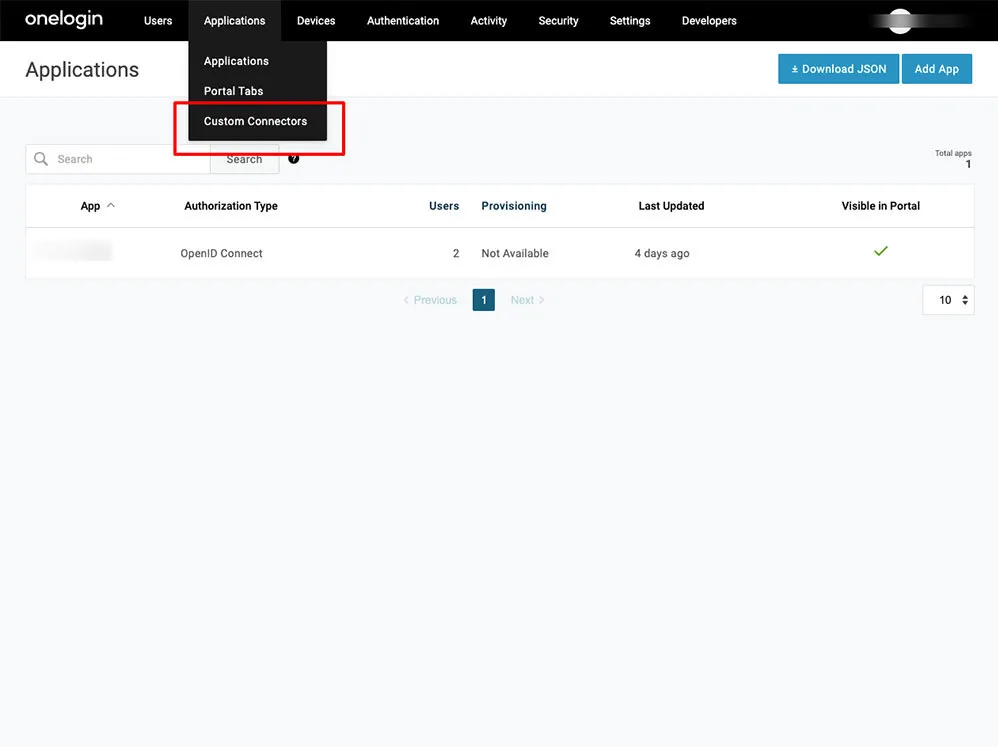
Navigate to “Custom Connectors” as per the below screenshot
-
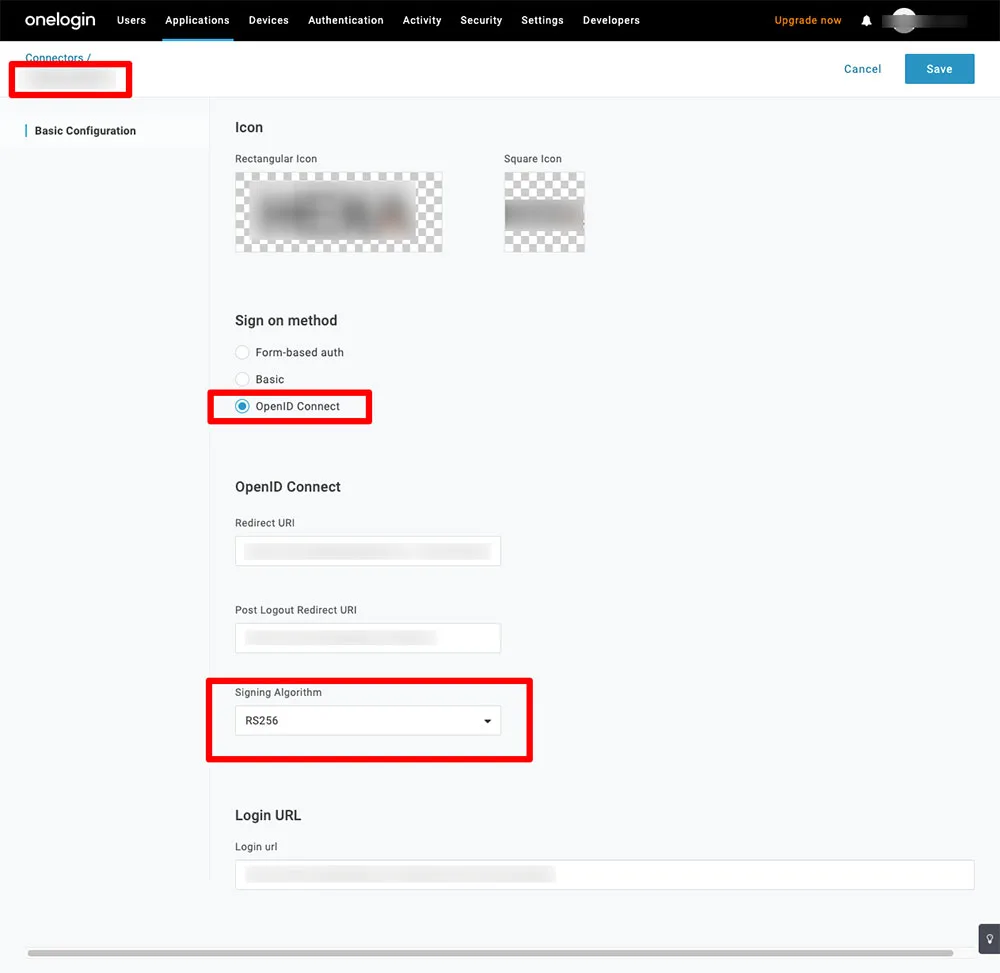
Create a new connector
-
Fill up the connector name
-
Upload the logos. This logo will be displayed in your app catalog.
-
Choose OpenID Connect
-
Your system administrator will share 3 URLs as below:
- Redirect URI
- Post logout redirect URI
- Login URL
-
Choose RS256 as a signing Algorithm
2. Add the app to your company catalog
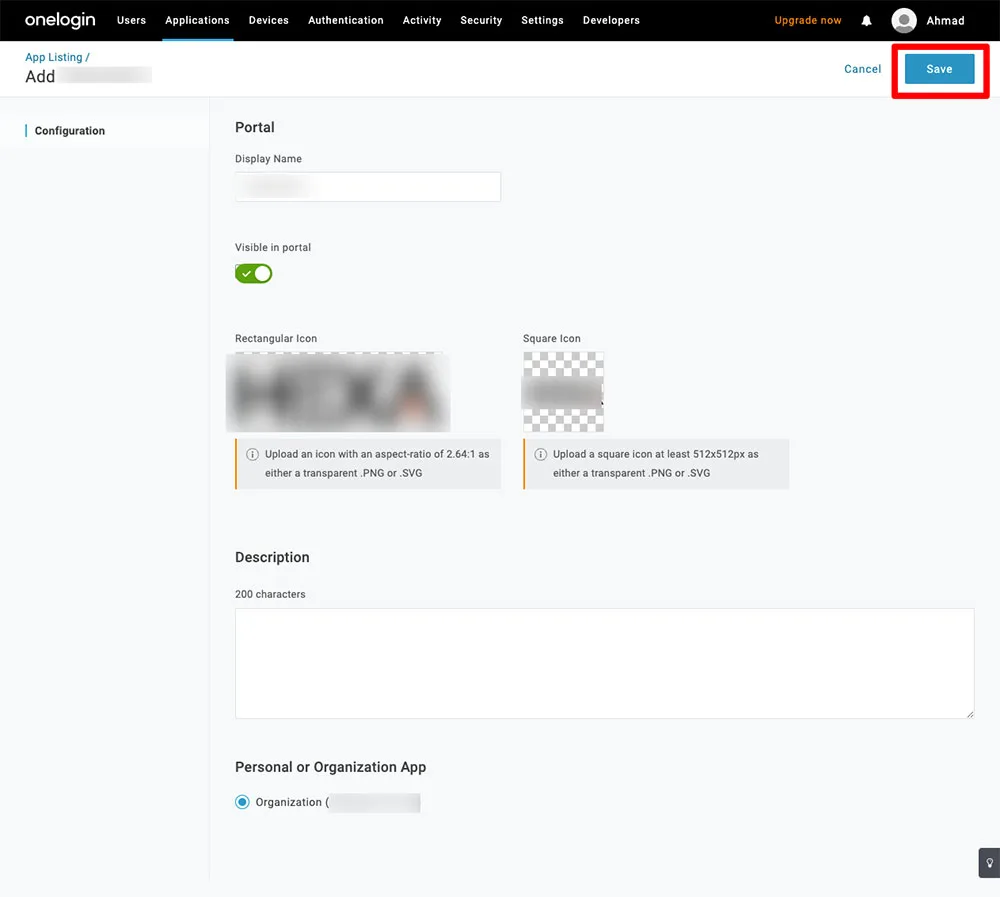
- After saving the customer connector, click add “Add App to Connector” to add the App to your catalog
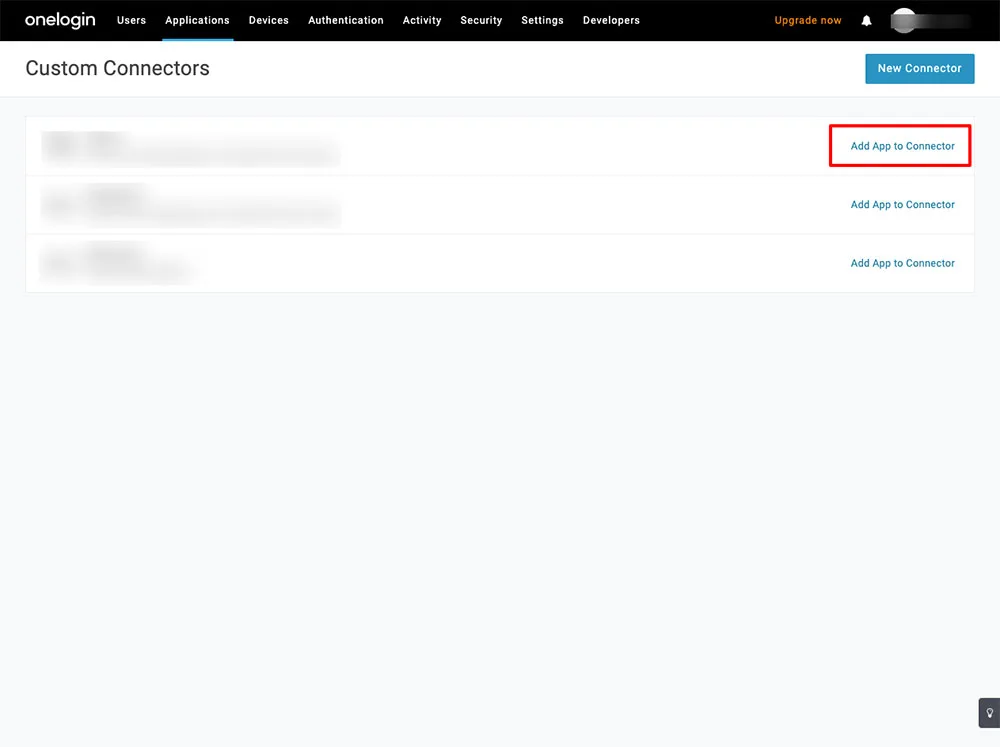
- This will add the app to your company catalog, fill up the needed details and click save.
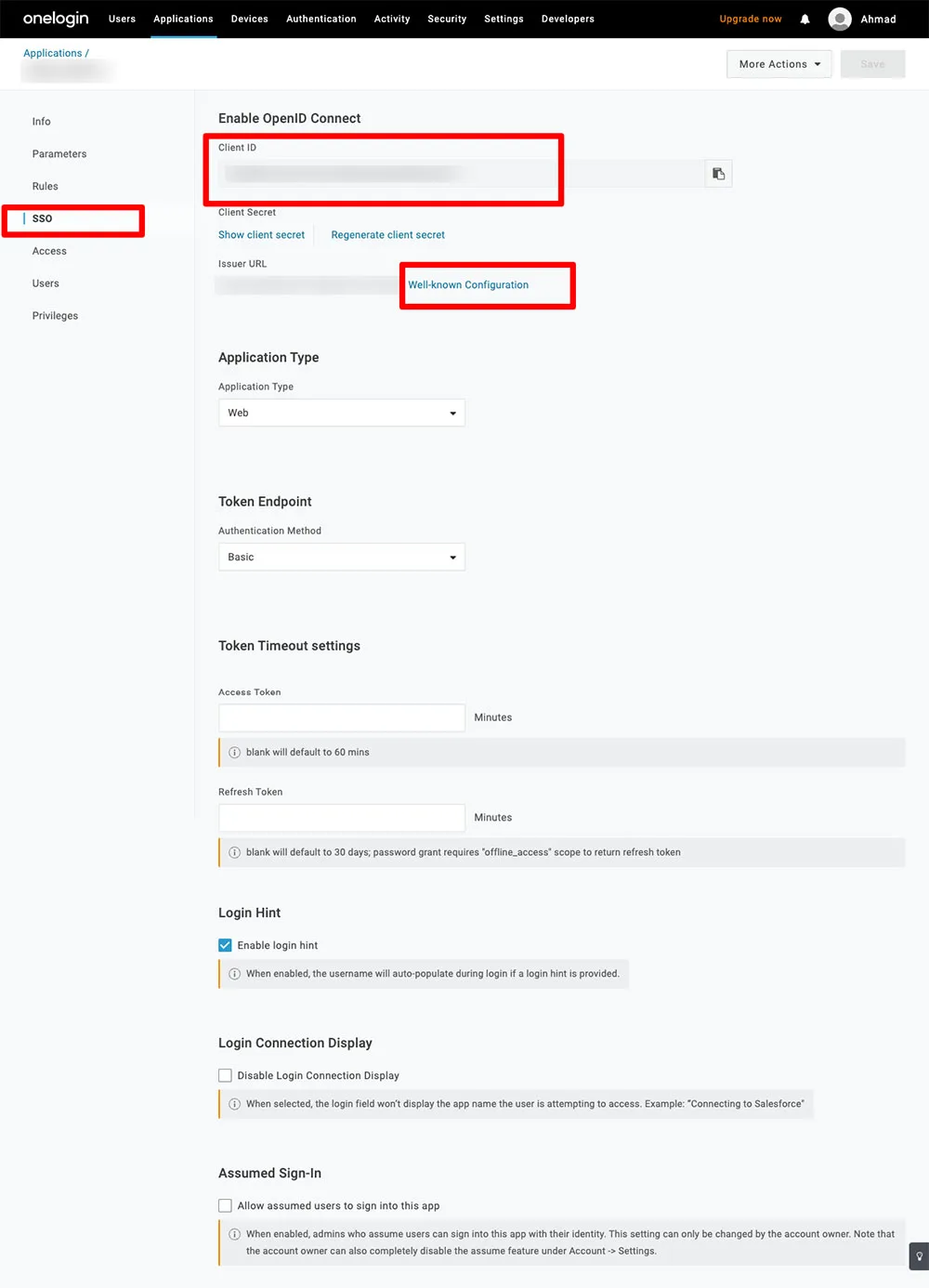
- To finish the configuration, you will need to send the Client ID and the Issuer URL to the system administrator to set them app from the digital signage apps side.
- You can find the Client ID and the Issuer URL under the SSO tab.