Playlists
Volume Control
Learn how to easily control the volume of videos in your digital signage playlist with our step-by-step guide for seamless audio management.
The volume of a video or an IPTV channel can be controlled and muted in a playlist.
Mute a video in a playlist
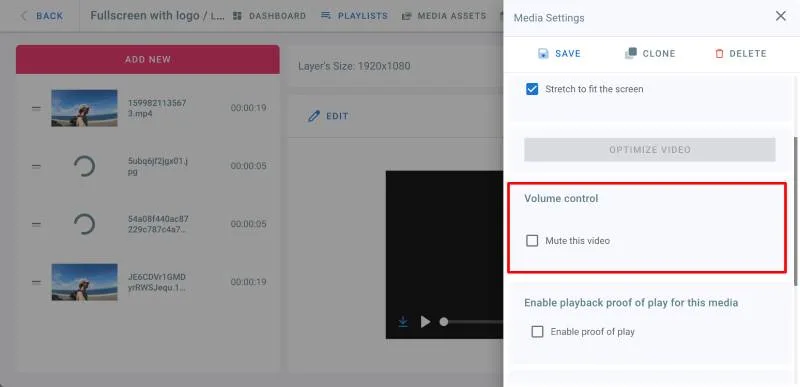
- Go to playlists page and click on your playlist
- Click on a layer
- Click Edit on the video or IPTV stream you want to mute
- In the Media Settings panel on the right, under Volume Control, check Mute this Video checkbox.
- Click on Save
(To unmute the video, uncheck the above checkbox.)