Screens
Power Management
Learn how to optimize power management for your digital signage screens with sonopto.signage. Step-by-step guides to save energy and enhance efficiency.
Power Management is used to turn screens on and off. Turning screens off at idle times saves power.
A power management schedule can help setup on and off times.
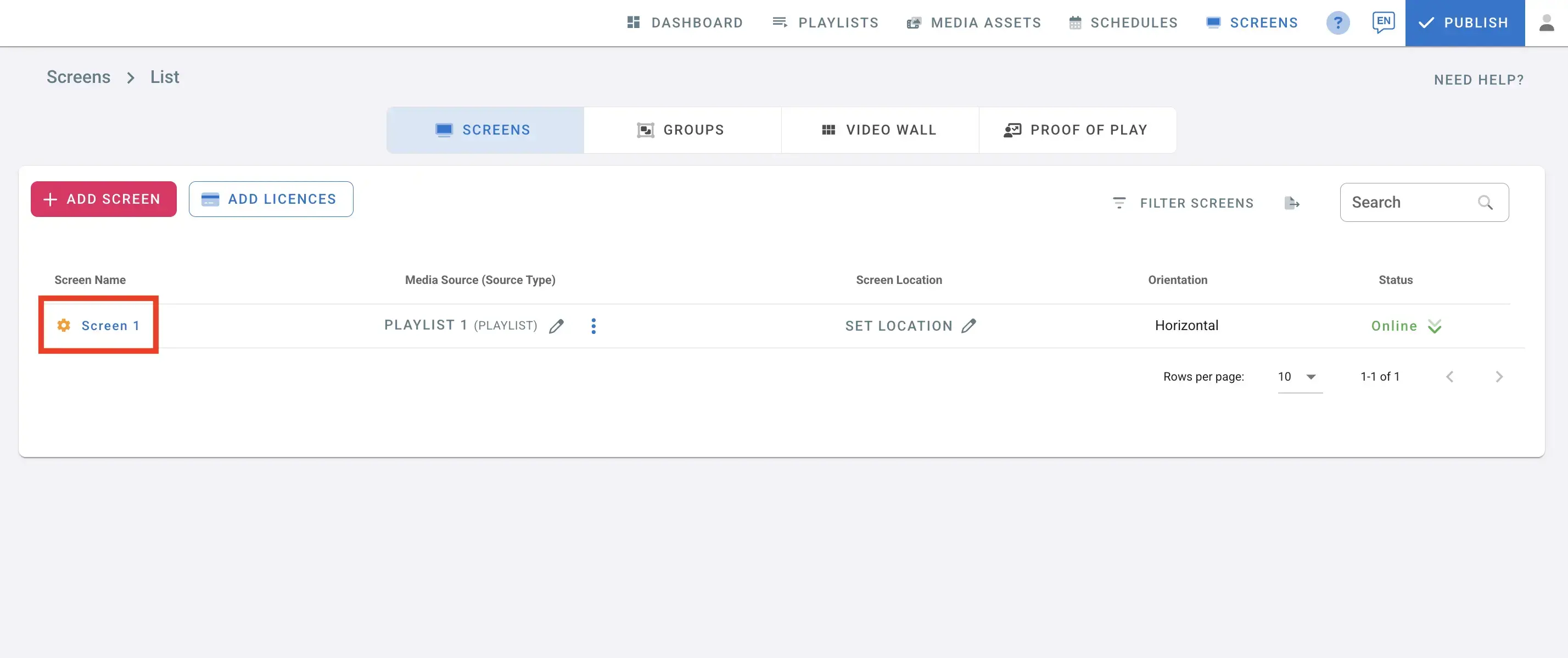
- Open the management Console and navigate to screens page
- Click on the settings button next to the screen name.
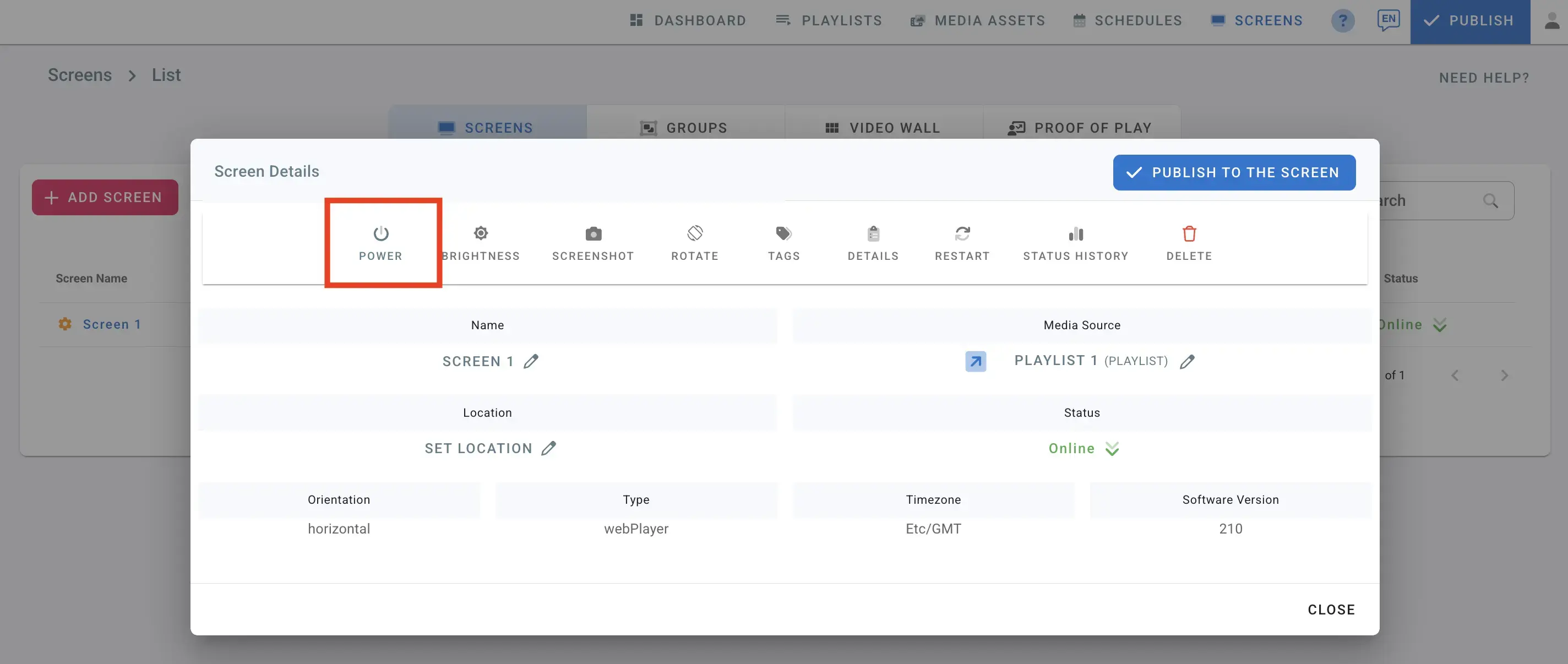
- In the screens details, Click on Power
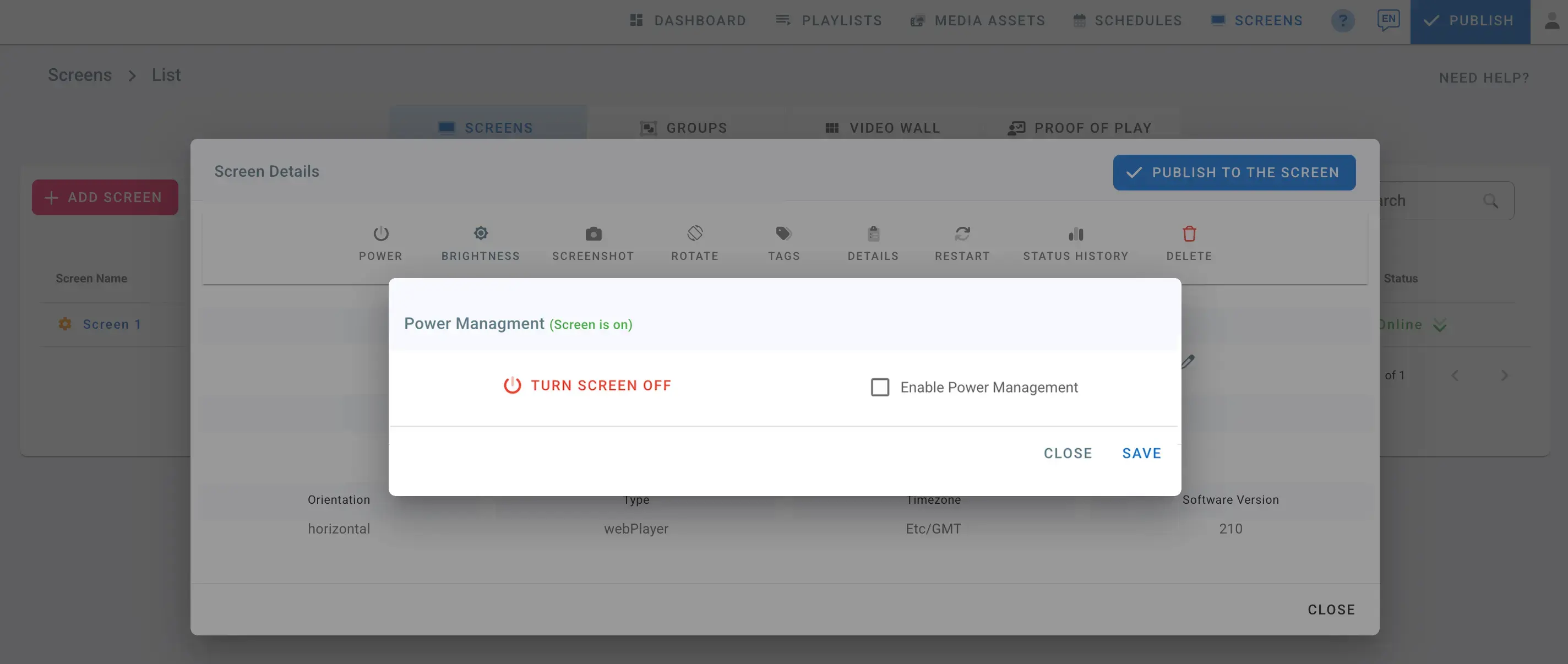
- You can see the screen status: Screen is ON in green
- To turn it off, click on Turn Screen OFF
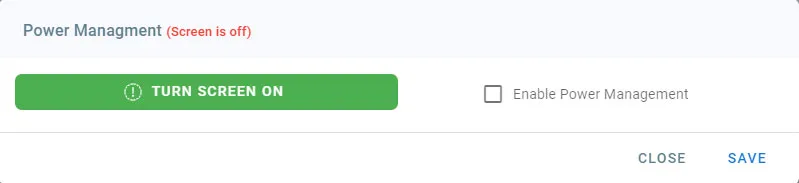
- Open the dialog again, your screen status will change to Screen is off in red
- To turn it on Again, click on Turn Screen ON
Enable power management
Check the Enable power management check box to setup your power management plan.
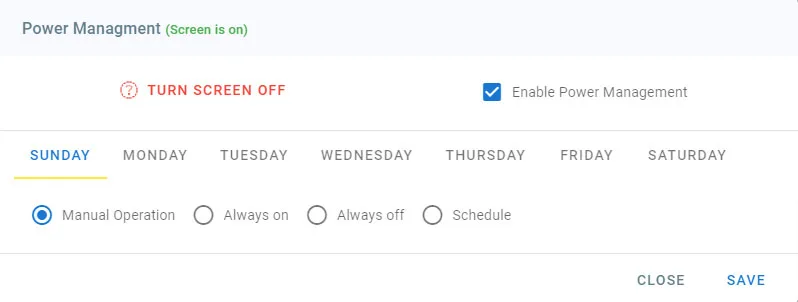
A plan can be setup for everyday of the week
Manual Operation: on this day, the screen can turned on and off manually by clicking on the Turn Screen OFF button
Always ON: on this day, the screen is ON all the day
Always OFF: on this day, the screen is OFF all the day
Schedule
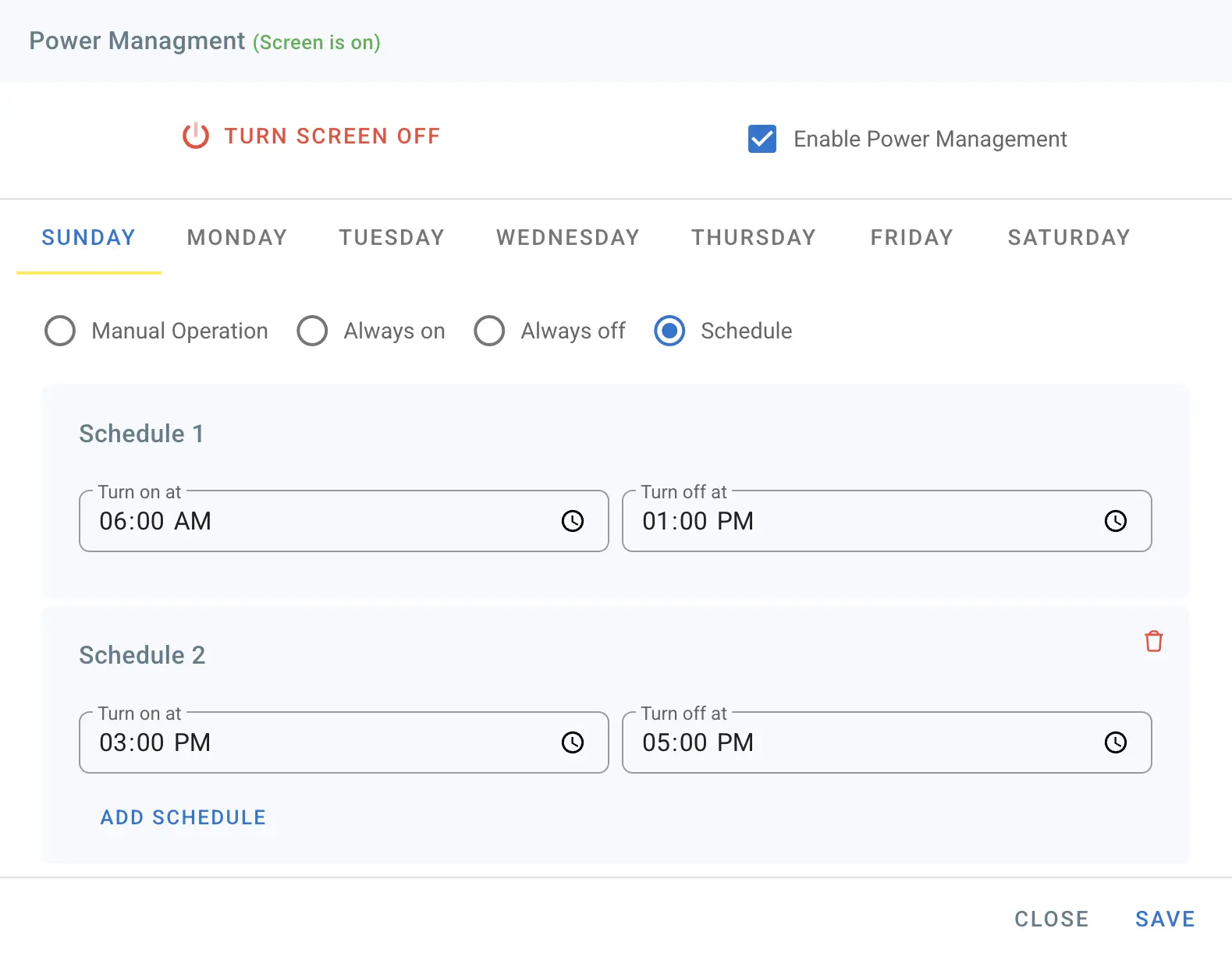
- Set up Turn off and on times on this day
- Click on Add Schedule to add more schedule intervals
- You can add up to 3 schedule intervals
Please note that Power Management is not supported on Android TVs.