Schools and Campuses
Nobody Reads the Noticeboard
Communication problems in schools rarely come from missing information. They come from information sitting somewhere nobody looks. A screen in the corridor gets read far more than a cork board by the door. We are based in Ankara and deliver school and campus projects across Turkey.
The notice went up, but it never reached the students
A printed notice has two problems: the time it takes to go up, and the fact that nobody looks at it once it has. When an exam time changes or a bus is delayed, the information has to travel in minutes — paper cannot do that. Schools that move to screens cut the time a notice takes to land from a day to a minute, and free the member of staff who used to pin them up.
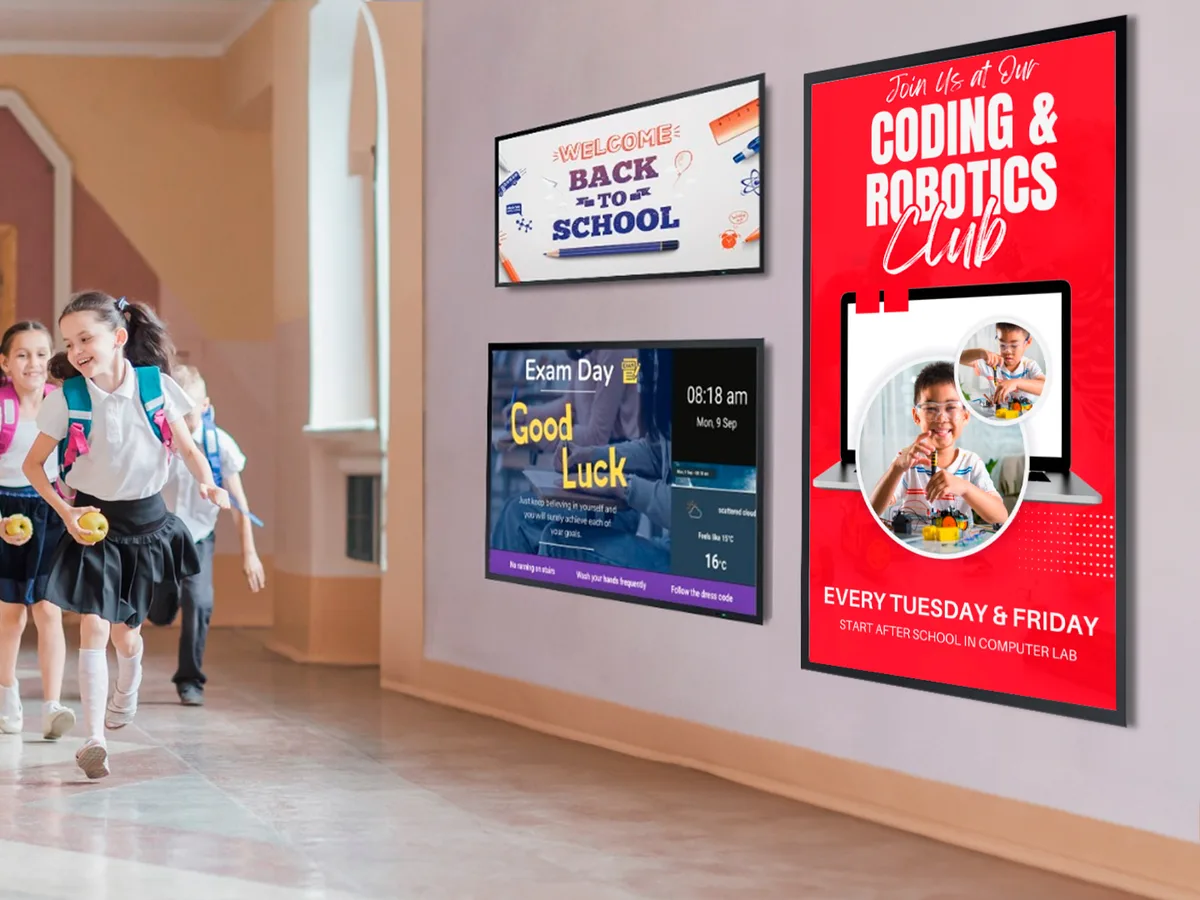
What goes on the screens?
- Corridor announcements: exam timetables, timetable changes, bus and lunch information
- Clubs and events: club call-outs, tournament and ceremony announcements
- Library: new arrivals, quiet reminders, opening hours
- Campus wayfinding: building and classroom directions, floor plans
- Staff and admin areas: duty rotas, meetings and internal notices

What really matters here: scheduling and Google Sheets
A school day is already a timetable, and the screens run on the same one. When the timetable and exam calendar are driven from a Google Sheet, the admin staff who update the sheet have updated the screens too. Scheduling shows one thing at break and another during lessons, and power management switches the screens off entirely over the holidays. On the design side, Canva templates bring notice-making within reach of the student clubs themselves.
What difference does it make that we install the screen?
In schools the scheduling of an installation matters as much as the installation: the work happens over the summer, while the buildings are empty. Corridor screens are mounted out of reach on brackets that survive student traffic. We already service interactive whiteboards and install PA and ceremony systems in education, so folding the signage screens into the same summer programme cuts both cost and disruption.
Frequently Asked Questions
Will the installation interrupt the school year?+
No — it is planned around it. We carry out work in education over the summer while the buildings are closed. If something urgent comes up mid-year we complete it at weekends and outside teaching hours, without breaking the timetable.
Can teachers post notices themselves?+
Yes. The panel runs in a browser and posting a notice needs no technical background. If regular data such as the timetable is managed in a Google Sheet, updating the sheet is enough — nobody has to open the panel at all.
Can we use our existing interactive whiteboards as notice screens?+
In many cases yes, though our recommendation depends on the situation. A whiteboard cannot show notices during the lessons it is being used for, so dedicated screens in corridors and shared areas are usually more effective. We look at your existing inventory during the survey and decide together what is best used where.
Other Sectors
Everything about sonopto.signage →Retail and Shops
Window and aisle displays, one panel for the whole branch network, content that changes automatically on the campaign calendar.
Read More →Restaurants and Cafés
Digital menu boards, menus that switch automatically through the day, prices driven from a spreadsheet and no reprinting.
Read More →Corporate Offices
Welcome displays, room booking screens at the door, internal communication boards and a company-wide announcement network.
Read More →Transport and Terminals
Platform and terminal information, wayfinding displays, and video walls run as sellable advertising inventory.
Read More →Healthcare
Queue and wayfinding displays, clinic information, waiting area content and consultant schedule screens.
Read More →Let’s Talk About Your Screens
Tell us how many screens you have and where you want to use them. We will scope it with you and prepare the right setup and quote.
Request a Free Site Survey